LUVBOARDMAGIC✨ · WELCOME
Get your client portal set up
Already invited? Your account is waiting for you. First, create a password. Then add your portal to your phone’s Home Screen for easy access.
1. Create your password
Tap the pink first-time sign-in button, use the email address that received your invitation, then open the password link sent to your inbox.
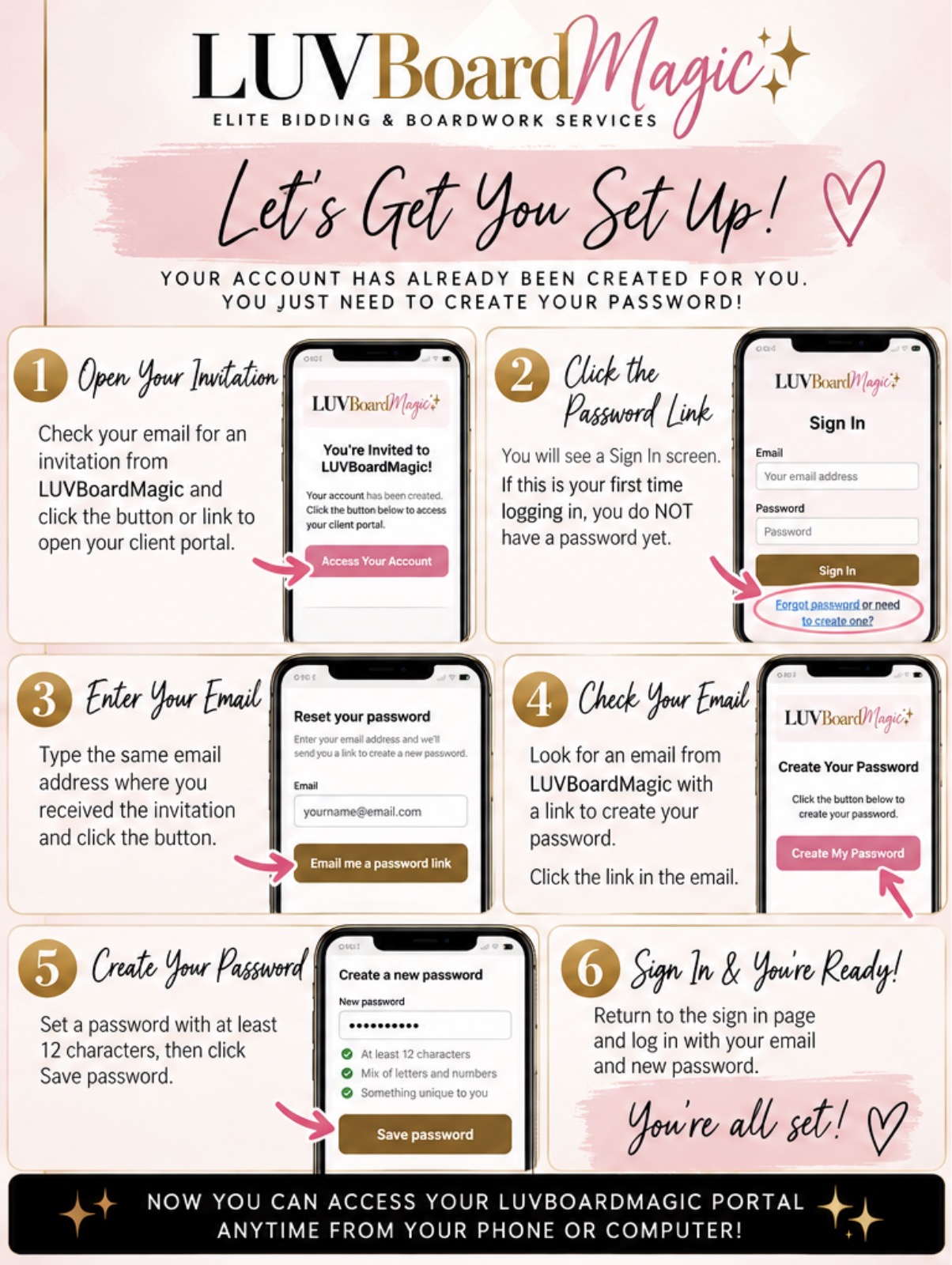
2. Add the portal to your phone
Follow the illustrated iPhone/Safari or Android/Chrome instructions below to add a Home Screen shortcut.
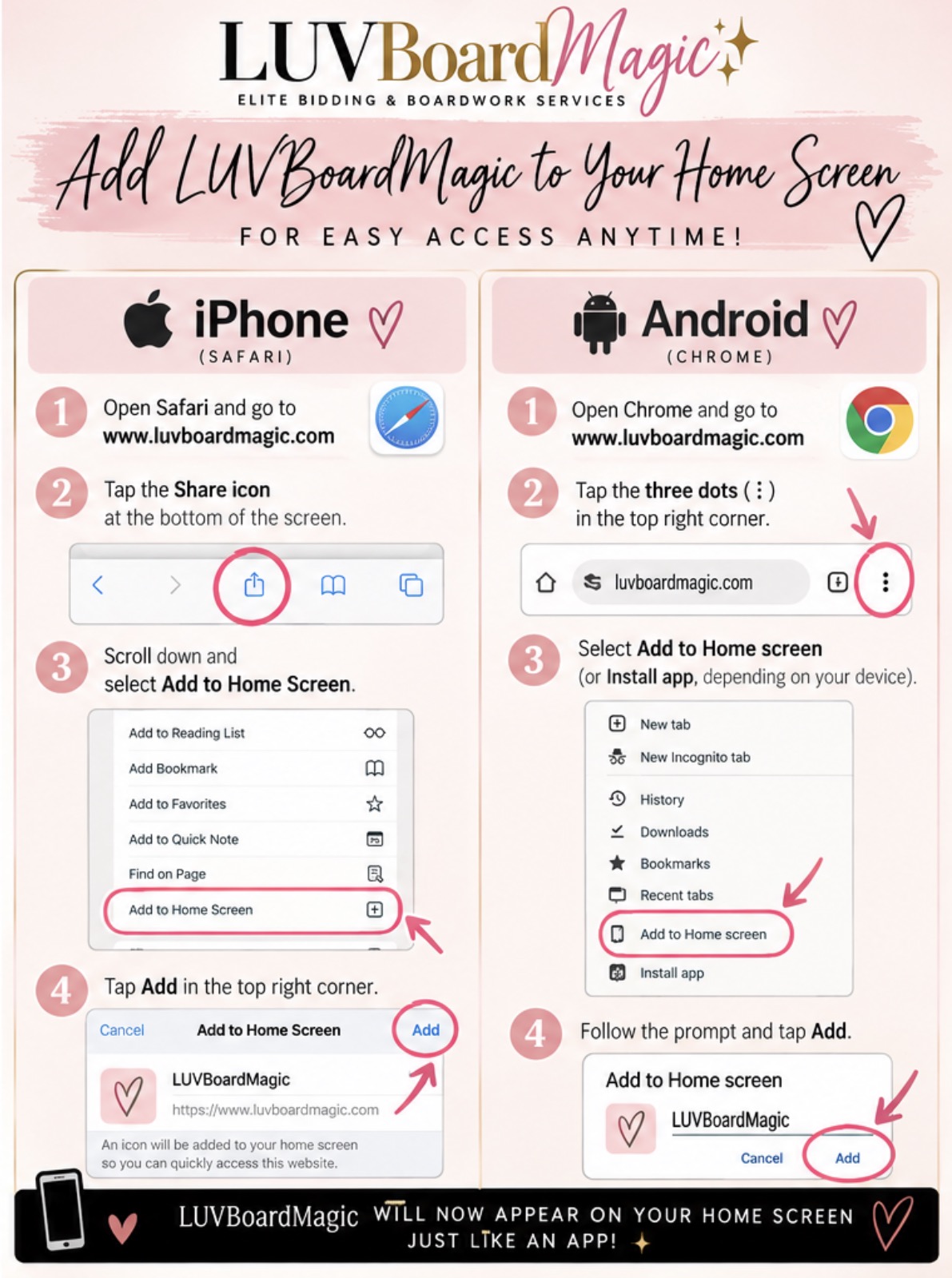
LUVBOARDMAGIC✨ · NEW CLIENT ESSENTIALS
✨ Add Me as Your Buddy in CWA ✨
One little setup step that helps make your scheduling support run smoothly. Follow all seven steps and be sure to hit SAVE!
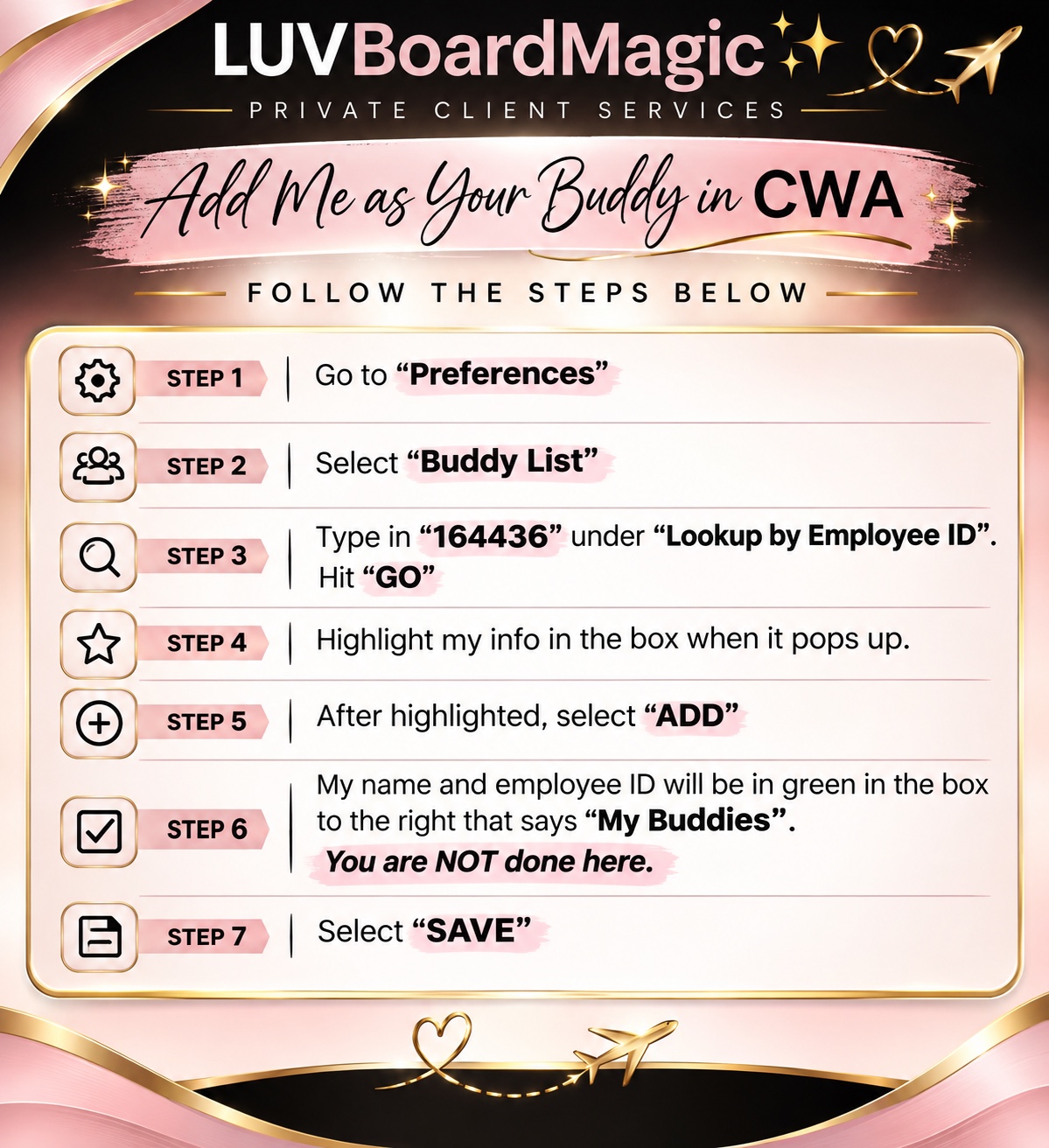
View the seven steps as text
- Go to “Preferences”.
- Select “Buddy List”.
- Enter 164436 under “Lookup by Employee ID”, then select “GO”.
- Highlight my information when it appears.
- Select “ADD”.
- Check that my name and employee ID appear in green in “My Buddies”. You are NOT done yet!
- Select “SAVE” to finish.
✨ You're all set once you select SAVE! ✨